Create an App Credentials
After logging in at SmartSchema, you can create an application credential that connects your system to the SmartSchema platform.
Go to Side menu → Developer Settings
Under Credentials tab click Create credential to create a new application.
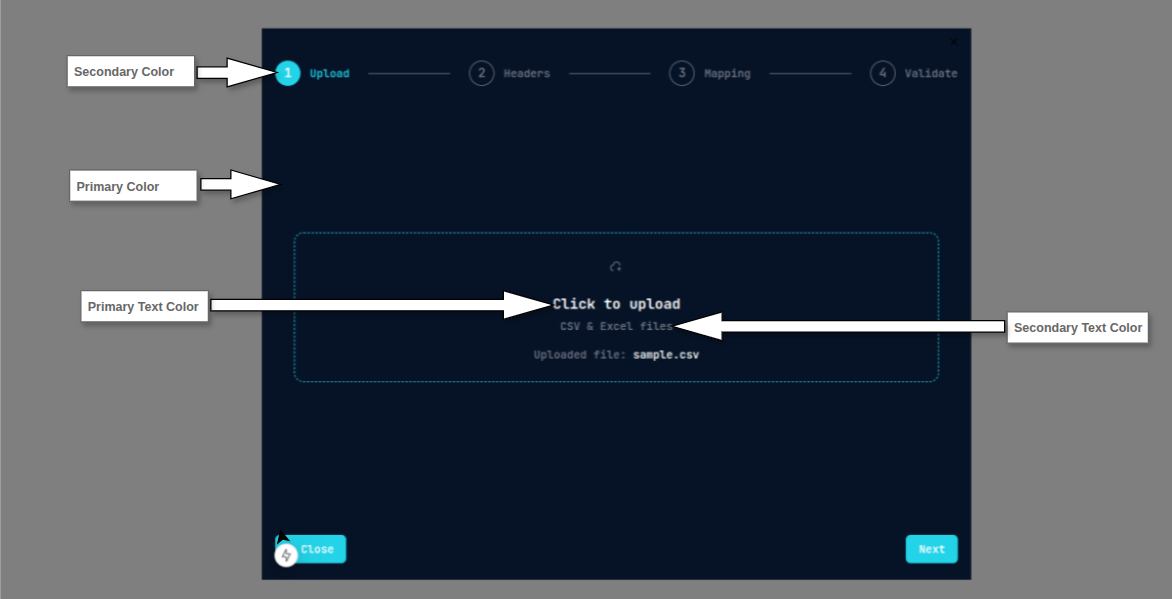
Configure Branding to match your product’s style and colors.
This makes your hosted import and validation pages look native.

To help you understand how each color applies within the modal, the following illustration highlights each color zone.
Tip
Rotate your Client Secret regularly or whenever you suspect a leak.